Digital Sticky Notes Template: Your Go-To for Visual Organization
Let's be honest, the digital workspace can feel just as cluttered as a physical desk. We juggle projects in Asana, ideas in Notion, and tasks in Trello, yet that simple, tactile satisfaction of a sticky note—slapping an idea onto a board, color-coding a workflow—often gets lost. That's where a thoughtfully designed Digital Sticky Notes Template comes in. It’s not just a digital replica of a paper square; it's a structured system designed to bring clarity, flexibility, and a touch of personal style to your planning, whether you're managing a team sprint, outlining a content calendar, or mapping out a personal goal.
More Than Just a Pretty Square: The Anatomy of a Smart Template
A quality Digital Sticky Notes Template is built on a foundation of practical design. Visually, it strikes a balance between being engaging and uncluttered. You'll typically find a clean, modern aesthetic with ample white space, ensuring the notes themselves—and your text—remain the focus. The personality is approachable and productive; it's a tool meant to reduce friction, not add decorative noise. The overall appeal lies in its modularity. These aren't static images. They are design assets—editable components you can truly make your own.
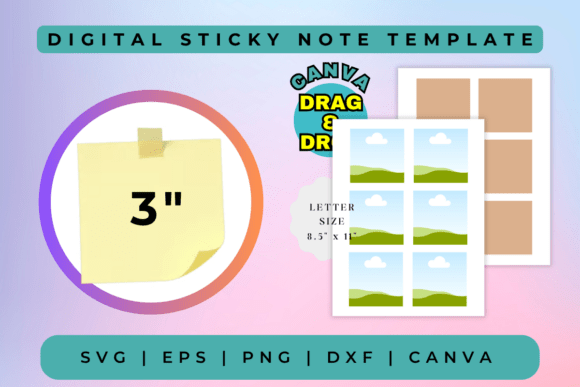
This particular template shines because it’s delivered as a suite of files, each serving a specific purpose in your creative font and design workflow:
- Canva Link: This is your gateway to instant customization. Access the fully editable template directly in your browser. Change colors to match your brand identity, swap fonts to better suit your project's tone, and rearrange layouts with simple drag-and-drop. It’s perfect for quick iterations and collaboration.
- SVG & DXF Files: These vector formats are the workhorses for crafters and makers. Import the SVG into Cricut Design Space or the DXF into Silhouette Basic Edition to cut physical sticky notes from vinyl, cardstock, or other materials. They are also essential for CNC laser cutting projects, allowing you to create custom note holders or organizational boards.
- EPS File: For the professional designer using Adobe Illustrator or CorelDraw, the EPS file offers complete scalability and advanced editing capabilities. This is where you can fine-tune every anchor point, integrate the notes into larger illustration projects, or prepare assets for high-end print production.
- PNG File: The high-resolution, 300 DPI PNG with a transparent background is your versatile digital workhorse. Use it in presentations, overlay it on photos for social media graphics, incorporate it into digital planners, or print it with crisp quality for physical boards.
Where This Template Truly Shines: From Boardroom to Craft Room
The utility of a Digital Sticky Notes Template spans a remarkable range of projects. Its strength is in its adaptability, serving both structured business needs and expressive personal projects.
For marketers, entrepreneurs, and project managers, it becomes the backbone of visual planning. Use it in Miro or FigJam for collaborative brainstorming sessions, where each team member can "place" a digital note. Build a public-facing content calendar for your blog or social channels, making your schedule transparent and engaging for your audience. It’s also invaluable for editorial design—mapping out story arcs, article structures, and photo shoot schedules in a glanceable format.
Designers and brand strategists will find it a subtle yet powerful tool. While it's not a display font or logo design element itself, it can be used to organize the creative process around those tasks. Create mood boards, list brand attributes, or sequence user journey maps. The template's clean lines ensure it supports rather than competes with your primary typeface choices and visual hierarchy.
Then there's the world of crafters, hobbyists, and content creators. Use the cut files with your cutting machine to produce physical stickers for planners, scrapbooks, or classroom use. The PNGs are perfect for designing printable party planners, wedding seating charts, or chore charts for kids. For a publisher, it could be the organizational backbone for a book launch timeline or a series outline.
Practical Guidance: Making the Template Work for You
Adopting any new design asset requires a bit of strategy. Here’s how to evaluate and implement this Digital Sticky Notes Template effectively.
Evaluate the Fit: Before diving in, consider your primary use case. If you live in Canva for quick social media assets and client collaborations, the Canva link is your starting point. If you're a Silhouette user creating planner stickers, test the DXF file first. The goal is to match the tool to your most frequent workflow.
Test for Readability and Hierarchy: When customizing, remember that the note is a container. The text inside needs to be highly readable. Avoid overly decorative script fonts or handwritten fonts for lengthy notes; pair the template with a clean sans serif font for body text. Use color strategically—assign a specific color to urgent tasks, another to ideas, and another to completed items. This creates an immediate visual hierarchy.
Explore Font Pairings: The template's neutrality is a gift. It allows you to layer on personality through typography. For a professional project, pair it with a classic serif font for headings and a modern sans serif for the note text. For a more playful, personal project, a friendly display font for category headers can work well. Always test the pairing at the size it will be used to ensure legibility.
Understand the Licensing: This is a critical step for any commercial font or asset. Since this is a digital item, review the terms included with your purchase. Typically, such templates are licensed for both personal and commercial use, allowing you to use them in client projects, products for sale, and marketing materials. However, you cannot resell or redistribute the template files themselves. This clarity is essential for maintaining professionalism and avoiding legal hiccups.
Ultimately, this Digital Sticky Notes Template is less about the notes themselves and more about the system of organization and clarity it enables. It’s a premium font-adjacent asset—a foundational design element that, when used thoughtfully, can streamline your workflow, enhance collaboration, and add a layer of polished intentionality to any project. It’s the digital equivalent of having a perfectly stocked, beautifully organized desk drawer, right at your fingertips.