Stop Guessing: Create Professional Lead Magnets Today
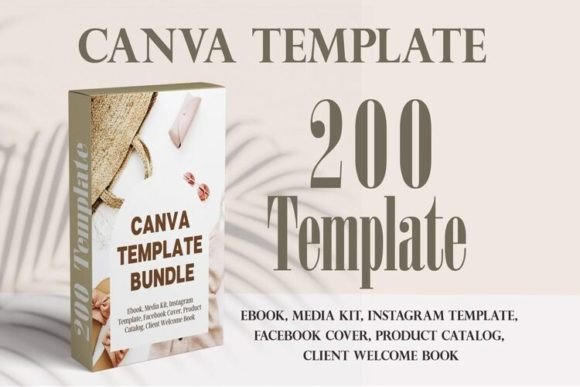
In the crowded world of digital marketing, a generic PDF just doesn't cut it anymore. If you are a coach, photographer, or virtual assistant trying to grow your email list, you know the struggle: you have the expertise, but you lack the design skills to package it professionally. Hiring a graphic designer for every freebie is expensive, and starting from a blank page in Canva is paralyzing. This is exactly why the Lead Magnet Canva Template Bundle exists. It is not just a collection of pretty pages; it is a comprehensive toolkit of over 200 pages specifically engineered to help service-based businesses launch high-converting lead magnets without the headache.
Why This Bundle Changes the Game for Service Providers
The visual personality of this bundle is defined by modern typography and clean layouts. It avoids the cluttered, "busy" look that makes reading difficult. Instead, it utilizes a balance of white space and strategic text placement to guide the reader's eye. As a designer or entrepreneur, you need assets that look premium but are easy to manipulate. The Lead Magnet Canva Template Bundle achieves this by using a mix of sans serif font styles for body text to ensure maximum readability, paired with elegant serif font headers for a touch of sophistication. This combination creates a professional aesthetic that builds immediate trust with your audience.
One of the most significant visual strengths of this collection is its versatility. It does not lock you into a single brand identity. Because the templates are built on a flexible grid system, they adapt to different editorial design needs. Whether you are creating a 16-page case study or a 30-page workbook, the structural integrity remains intact. The layouts include ample room for imagery, making them perfect for photographers needing portfolio showcases or designers displaying mockups. The visual flow is logical, moving the user from the cover page through the table of contents and into the meat of the content seamlessly.
Practical Applications: From Digital to Print
Understanding where these templates fit into your workflow is key to getting the most value. The obvious application is web design and digital marketing—specifically, creating PDF guides, checklists, and workbooks that act as lead magnets. However, the utility extends far beyond a simple opt-in freebie. Because the layouts are high-resolution and structured for reading, they work beautifully for packaging design inserts or physical product manuals. If you run a small business that ships physical goods, using a consistent design language between your social media graphics and your unboxing inserts creates a cohesive brand experience.
Consider the specific variations included in the bundle. You have access to different page counts, ranging from 16 to 31 pages, each tailored for different content depths. For instance:
- The 16-Page Set: Ideal for a quick "Top 5 Tips" guide or a concise portfolio showcase. It includes specific Call to Action pages that are designed to convert readers into clients.
- The 24-Page Set: This is your workhorse for workshops. With dedicated chapter pages and notes sections, it functions as a digital workbook that encourages engagement.
- The 30+ Page Sets: These are perfect for comprehensive ebooks or magazines. The inclusion of multiple Checklist Pages and "About the Author" sections helps in establishing authority and E-E-A-T (Experience, Expertise, Authoritativeness, and Trustworthiness).
Typography and Visual Hierarchy in Action
While the bundle is editable, the default font pairing choices offer a masterclass in visual hierarchy. Good typography is invisible when done right; it simply conveys the message. The templates use weight and size variations to distinguish between headings, subheadings, and body copy. This is crucial for skimmers—people who scan your document before deciding to read it. The headers grab attention, while the clean body text ensures that once they start reading, they don't get fatigued.
When you open these templates in Canva, you will notice that the text styles are consistent. This consistency is the backbone of professionalism. A common mistake in DIY design is using too many font styles. This bundle restricts the palette to a few complementary typefaces—often a mix of a display font for impact and a standard creative font for personality. This approach ensures that even if you swap out the colors to match your specific brand identity, the layout will still look balanced and intentional.
Customizing the Bundle to Fit Your Niche
The real power of the Lead Magnet Canva Template Bundle lies in its editability. You are not just buying static images; you are buying a foundation. For coaches, the "Welcome" and "About Me" pages are critical for building a personal connection. You can easily insert your headshot and change the color blocks to match your warm, energetic brand. For virtual assistants, the "Checklist" and "Planner" pages are functional tools that provide immediate value to clients.
Here is a practical tip for customization: Do not just change the colors and photos. Look at the spacing. If you have longer paragraphs than the placeholder text, adjust the text box size or reduce the font size slightly to maintain the generous margins. White space is a design asset—it makes your content feel less overwhelming and more premium. Use the "Notes" and "Contact" pages included in the 24-page templates to drive traffic back to your website or booking calendar. These are not just throwaway pages; they are conversion opportunities.
Ensuring Brand Consistency Across Platforms
Using a template bundle helps solve one of the biggest challenges in digital marketing: maintaining consistency. When your Instagram graphics, your website, and your lead magnet all share the same visual DNA, your brand recognition skyrockets. The Lead Magnet Canva Template Bundle provides a cohesive set of design assets that can be mirrored across your other platforms. If you use a specific header style in your ebook, adapt that same style for your blog post headers or YouTube thumbnails.
When choosing which specific template from the bundle to use for a project, consider the user experience. If your goal is to educate, use the templates with more text-heavy content pages and chapter dividers. If your goal is to sell a service, use the variations that emphasize imagery and have distinct Call to Action sections. The variety within the bundle—offering everything from magazine layouts to planners—means you likely won't need to buy another template for a long time. It is a long-term investment in your content creation infrastructure.
Final Thoughts on Usability and Value
The barrier to entry for creating beautiful digital products has never been lower. You do not need to master Adobe InDesign to create a professional ebook. The Lead Magnet Canva Template Bundle democratizes good design, allowing entrepreneurs and creatives to focus on what they do best: sharing their knowledge. By leveraging these pre-designed structures, you save hours of time that would otherwise be spent agonizing over margins and font sizes.
Ultimately, the goal of any lead magnet is to provide value. A well-designed document signals to your audience that you value quality and that you take your business seriously. Whether you are a photographer showcasing a client guide or a marketer distributing a strategy workbook, this bundle provides the visual polish required to stand out in a saturated market. It bridges the gap between your expertise and your audience's perception, turning a simple PDF into a powerful business tool.